TypeSelector
A type picker you tailor to every field.
Quick start
[TypeSelector(typeof(ITwoHanded), Allow = TypeAllow.None)]
[SerializeField] private SerializableType<Weapon> _weapon;
The field offers only concrete two-handed weapons: classes derived from Weapon that implement ITwoHanded.
| Without the attribute | With [TypeSelector] |
|---|---|
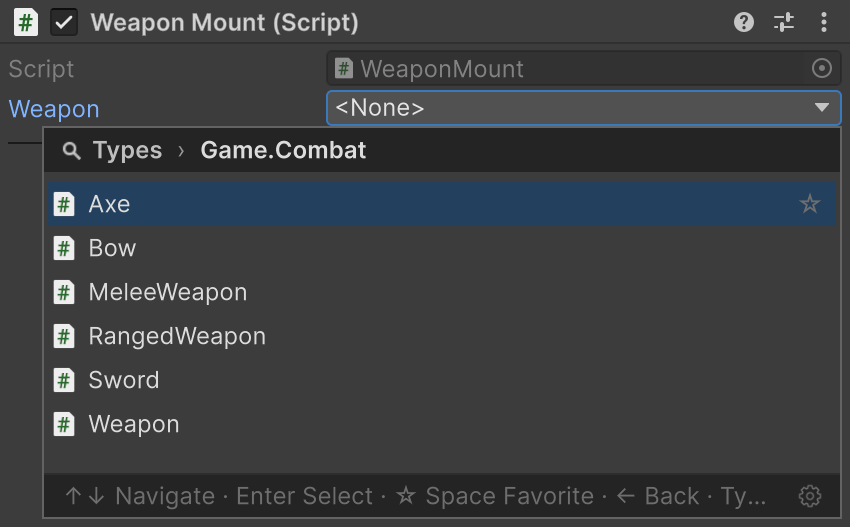 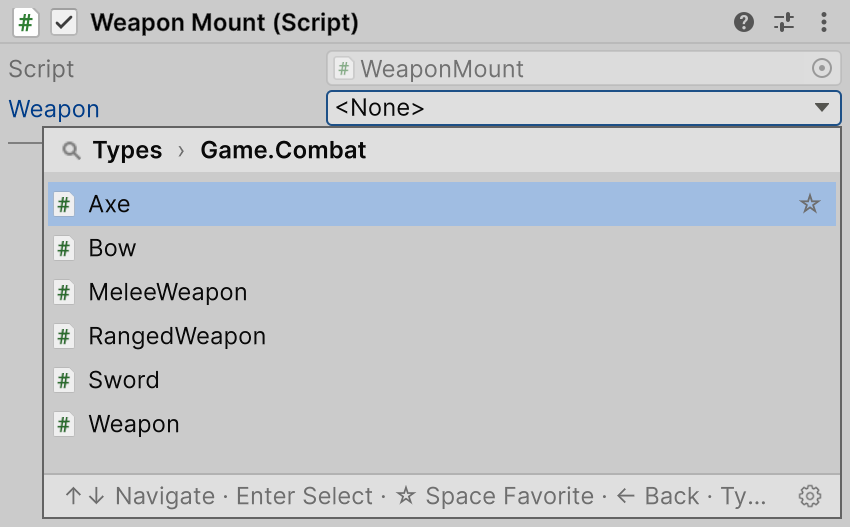 | 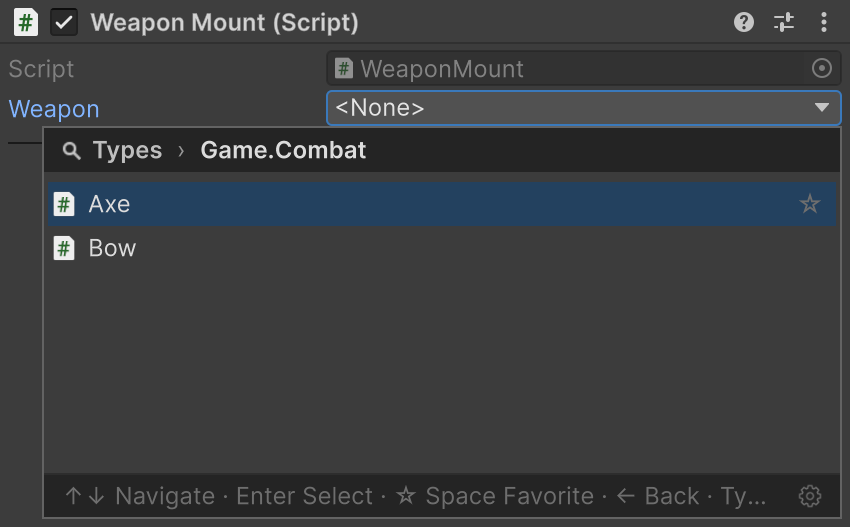 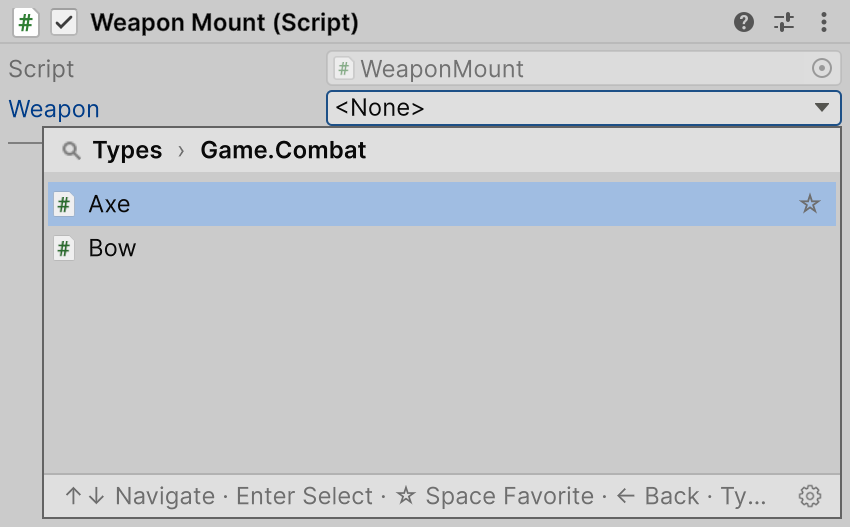 |
Supported fields
| Field | Selection result |
|---|---|
string | Stores the assembly-qualified name |
| Serializable Types | Configures the wrapper's selection |
[SerializeReference] | Creates an instance of the selected implementation — see SerializeReference Selector |
In a player, a string field is resolved by name, like Serializable Types: a class used only through this selection may be stripped at Managed Stripping Level Low or higher.
Which types are offered
public interface ITwoHanded { }

public abstract class Weapon { }
public abstract class MeleeWeapon : Weapon { }
public abstract class RangedWeapon : Weapon { }

public sealed class Sword : MeleeWeapon { }
public sealed class Axe : MeleeWeapon, ITwoHanded { }
public sealed class Bow : RangedWeapon, ITwoHanded { }
The types in the attribute narrow the list: only classes compatible with all of them stay.
[TypeSelector] arguments on a string field | Offered |
|---|---|
typeof(Weapon) | Weapon, MeleeWeapon, RangedWeapon, Sword, Axe, Bow |
typeof(Weapon), typeof(ITwoHanded) | Axe, Bow |
typeof(Sword), typeof(Axe) | Nothing |
typeof(MeleeWeapon), Allow = TypeAllow.None | Sword, Axe |
A wrapper's T and a [SerializeReference] field's type count as one more type in the attribute:
// Axe, Bow
[TypeSelector(typeof(ITwoHanded))]
[SerializeField] private SerializableType<Weapon> _twoHandedType;

// Axe, Bow
[TypeSelector(typeof(ITwoHanded))]
[SerializeReference] private Weapon _twoHandedWeapon;
In the Inspector of a runtime object, the picker leaves out types from editor-only assemblies (UnityEditor, Editor-only asmdefs and Editor folders): a player build cannot resolve them.
Properties
| Property | Default | Behaviour |
|---|---|---|
Allow | TypeAllow.All | Lets abstract classes (Abstract), interfaces (Interface), both or neither into the list. Ignored on [SerializeReference] |
Required | false | Warns about an empty type name or a null managed reference |
Required field
[TypeSelector(typeof(Weapon), Required = true)]
[SerializeField] private string _secondaryWeapon;


With Required = true, <None> stays selectable. A missing type with a stored name passes the check.
For project-wide and CI validation, see required-field checks.
Constraint from another field
Pass nameof(...) to let a field or property's current value control the candidate list:
[SerializeField] private SerializableType<Weapon> _weaponClass;

[TypeSelector(nameof(_weaponClass), Allow = TypeAllow.None)]
[SerializeField] private string _weaponName;
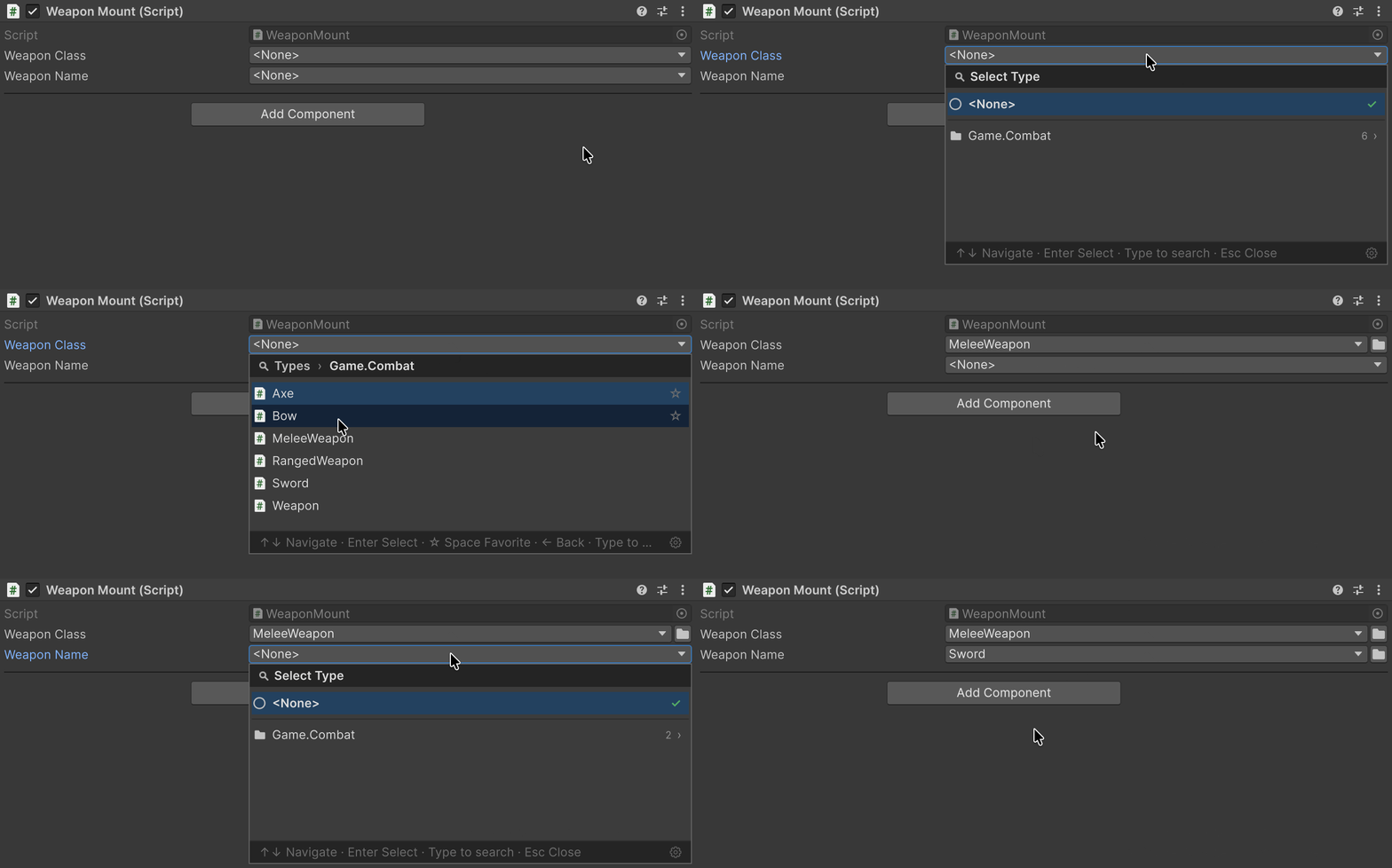
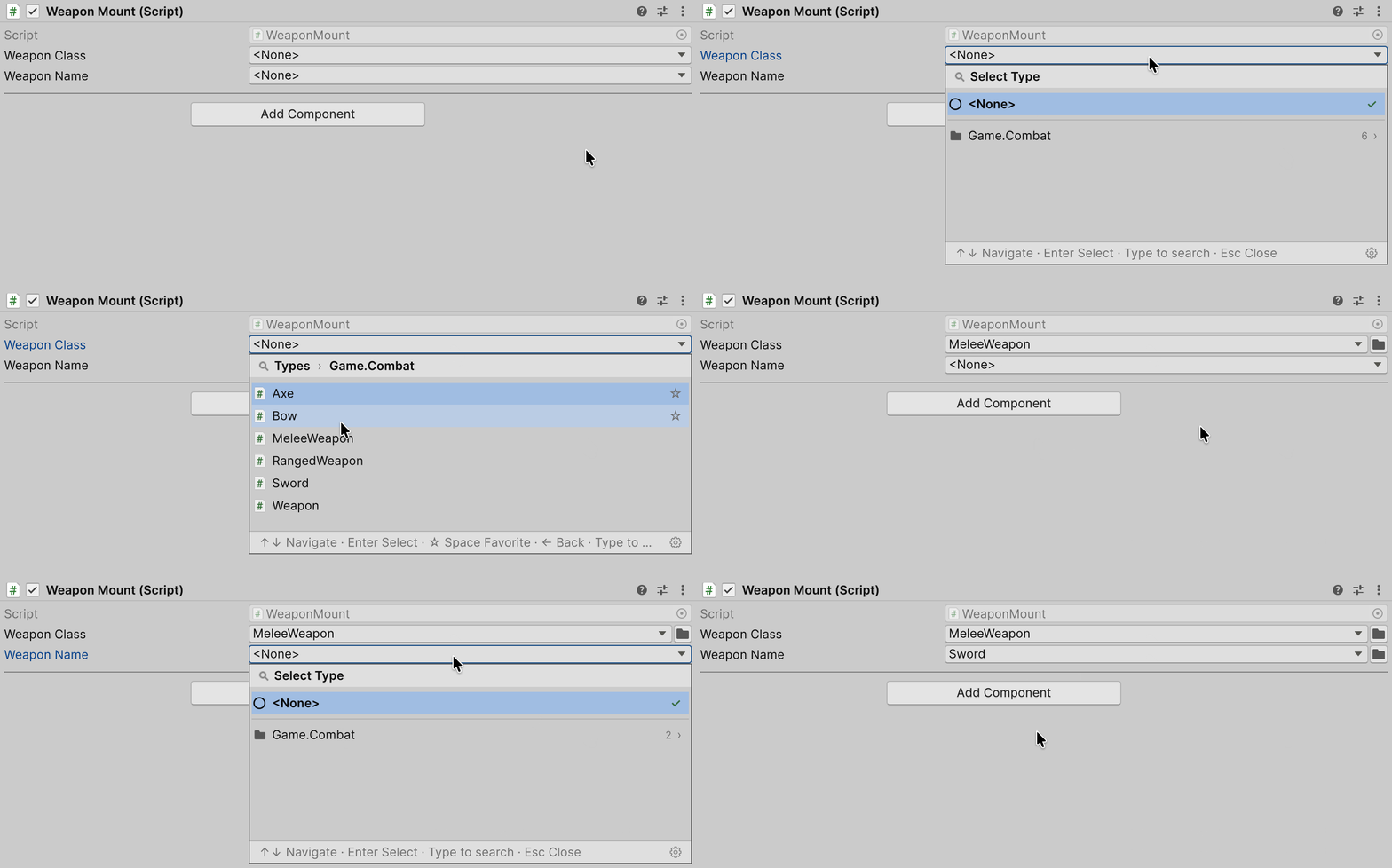
Choose MeleeWeapon in Weapon Class, and Weapon Name offers its concrete subclasses. Changing a constraint does not clear an earlier selection.
| Constraint source | Base type |
|---|---|
System.Type | The member's value |
string | The type named, through Type.GetType() |
SerializableType / SerializableMonoScript | The .Type value |
| An array of these values | Each element; List<T> is not supported |
- For a field inside a
[Serializable]class or a list element, the source is read from that same instance. - While the source is empty or unresolved it adds no constraint: the string Weapon Name then offers every concrete type. A wrapper keeps its own
T.
Errors in string arguments
If a well-formed type name refers to a type that is not loaded, the Inspector shows a warning:
[TypeSelector("Spear, Assembly-CSharp")]
[SerializeField] private string _weaponName;


TypeSelectorDisplay
[TypeSelectorDisplay] on a class changes only its row in the picker:
Parameter on Sword | In the picker |
|---|---|
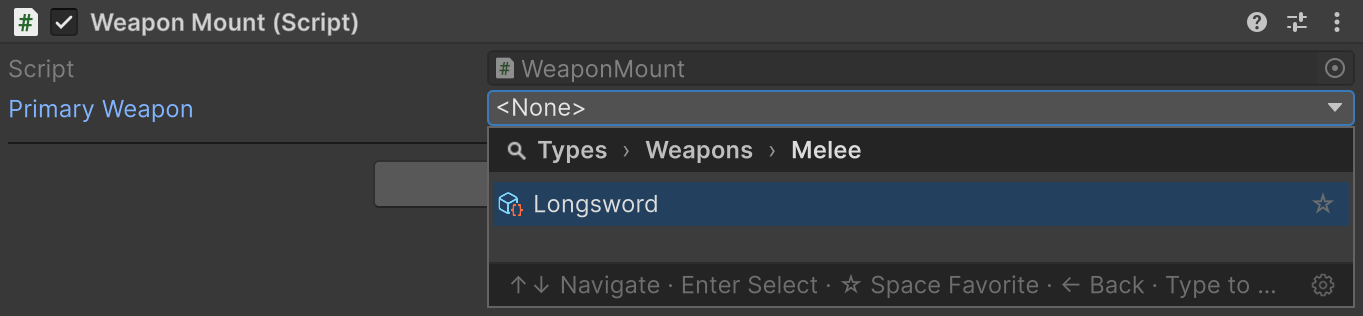
Name = "Longsword" | Longsword in the list and the closed field; search still finds Sword |
Group = "Weapons/Melee" | Weapons → Melee → Longsword instead of the namespace |
Tooltip = "A balanced blade" | Tooltip on hover |
Icon = "d_ScriptableObject Icon" | Icon: a built-in one by name, an asset by path with extension, or one from Resources without extension |
Hidden = true | Not listed; code assignment and an already stored value still work |
Subclasses do not inherit these settings.
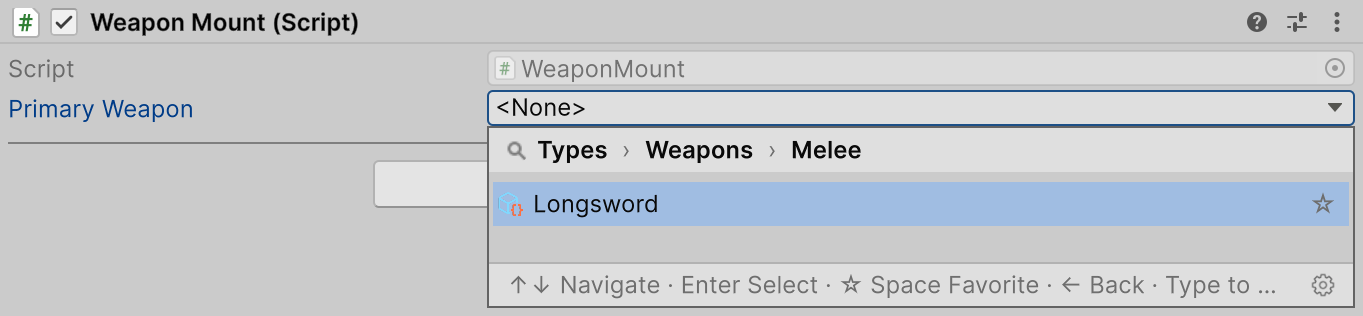
[TypeSelector] and [TypeSelectorDisplay] are marked [Conditional("UNITY_EDITOR")]. Classes compiled into an external DLL without that symbol carry none of their settings, including Hidden.
The picker
The picker groups types by namespace or Group and distinguishes identical names by assembly.
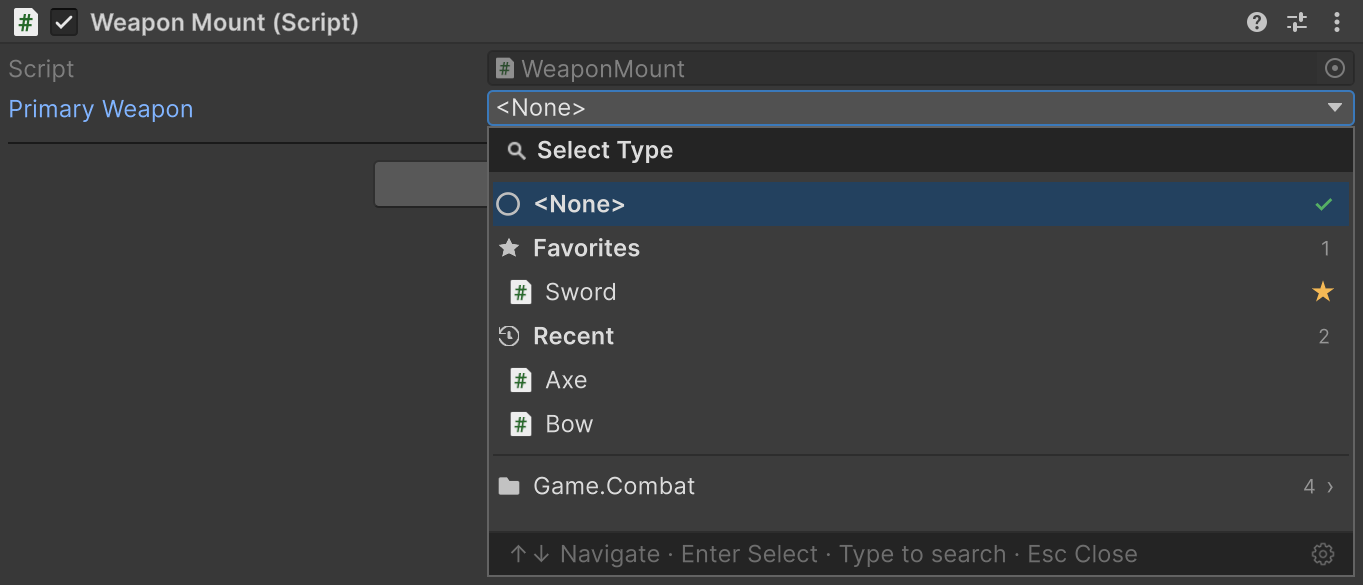
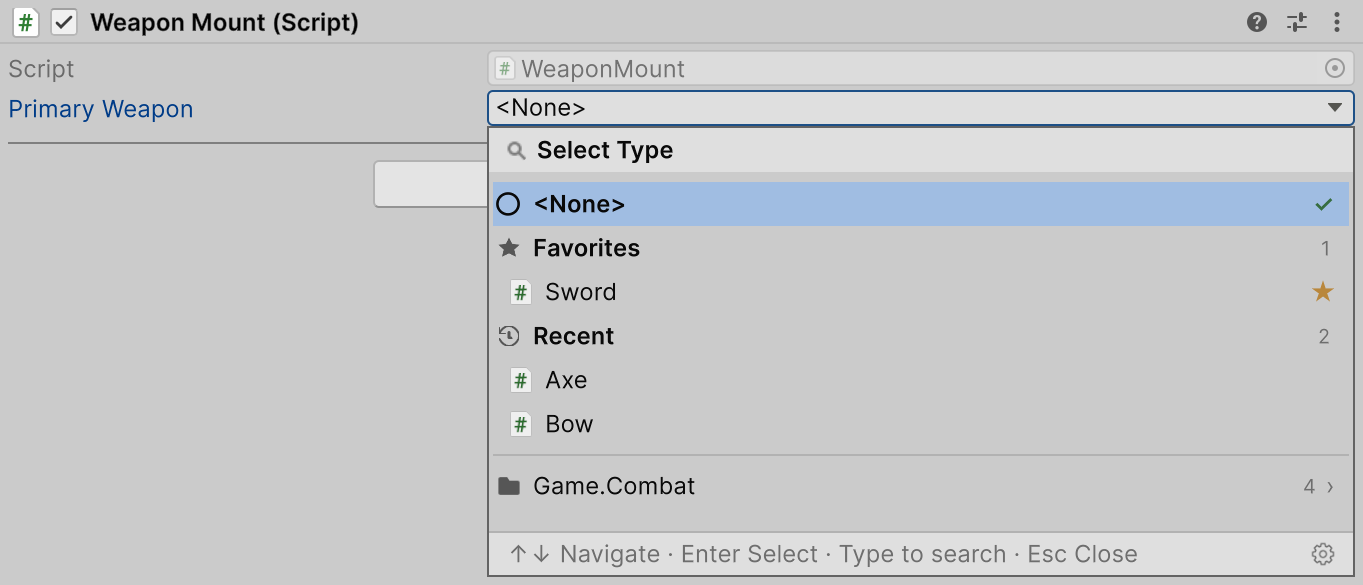
The picker's root page keeps the types you need most often:
- Favorites: your picks. To add a type, click the star at the right of its row, or press Space while the row is selected.
- Recent: the types chosen last.
Whether Favorites is shown and how long Recent is (0 hides it) are set in the FastTools window's Settings tab. The gear at the bottom right of the picker opens it, and both lists are cleared there too.
Generic types
Picking an open generic type opens its argument pages and returns a constructed closed type:
public abstract class Enchantment { }
public sealed class Fire : Enchantment { }
public sealed class Frost : Enchantment { }

public sealed class Enchanted<T> : Weapon
    where T : Enchantment { }
Choose Enchanted<T> in the SerializableType<Weapon> field: the window offers the subclasses of Enchantment, and choosing Fire stores Enchanted<Fire>.
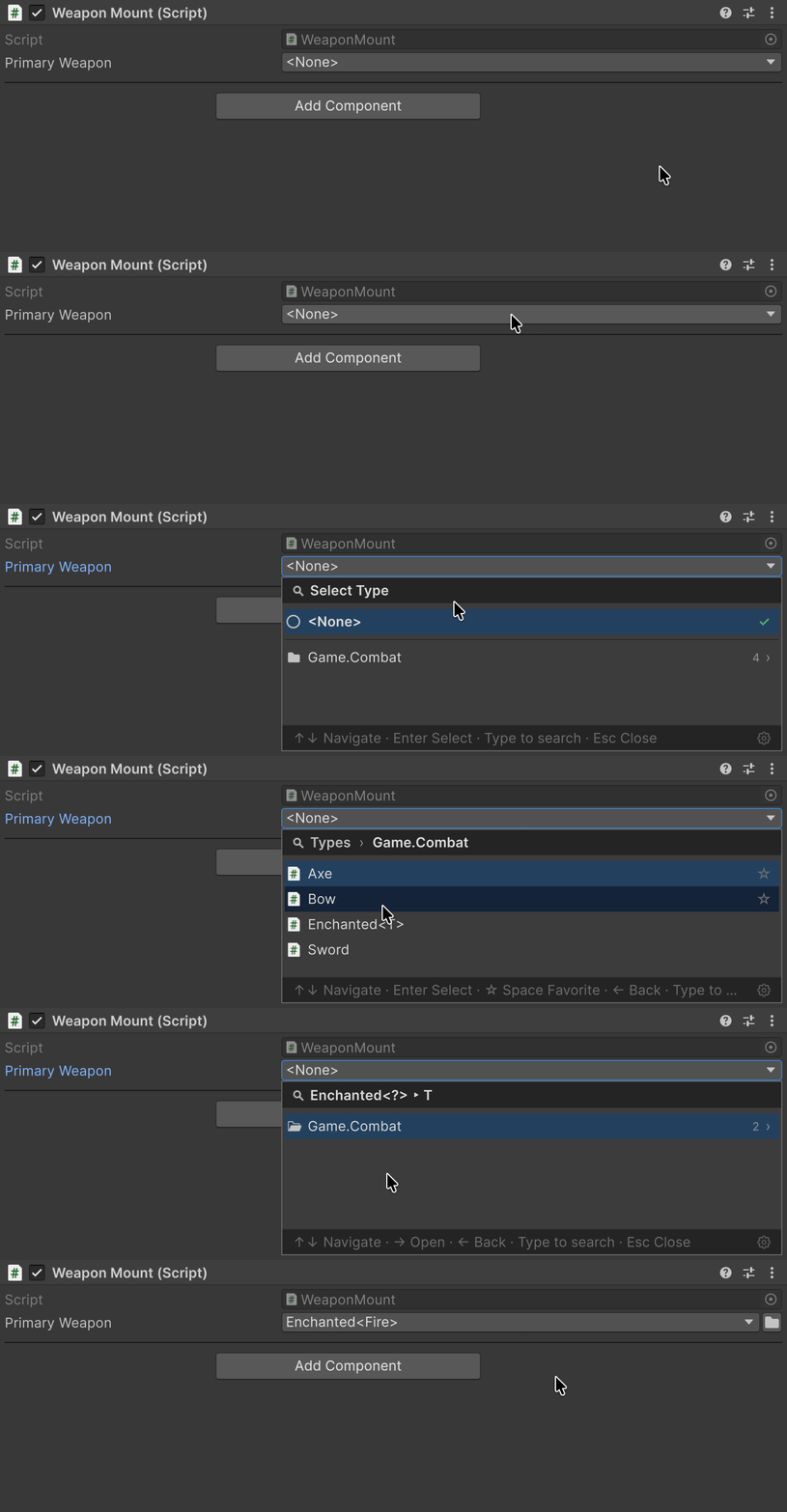
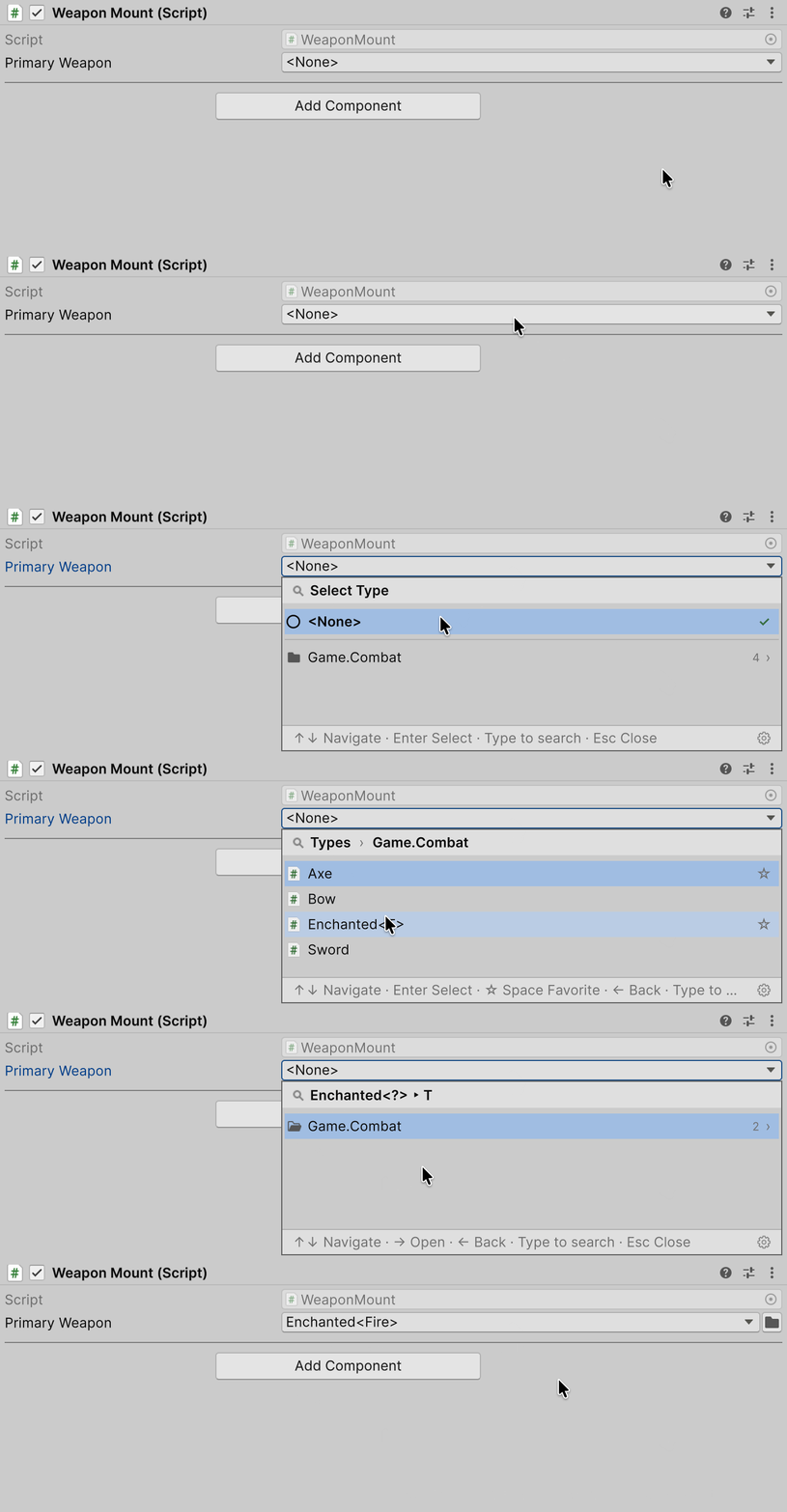
- A generic argument can itself be generic: the window asks for its arguments first.
- When every argument can be inferred from the field type, the closed type is returned immediately.
- Interfaces, abstract classes, and hidden types are not offered as arguments.
TypeSelectorWindow
TypeSelectorWindow opens the same picker from a custom inspector or editor window, for example from a UI Toolkit button:
using Aspid.FastTools.Types.Editors;

var button = new Button { text = "Select weapon" };
button.clicked += () => TypeSelectorWindow.Show(
    screenRect: GUIUtility.GUIToScreenRect(button.worldBound),
    filter: new TypeSelectorFilter
    {
        Types = new[] { typeof(Weapon) }
    },
    currentAqn: selectedTypeName,
    onSelected: aqn => selectedTypeName = aqn);
The callback receives an assembly-qualified name, or null for <None>.
TypeSelectorFilter defaults Allow to TypeAllow.None, while [TypeSelector] defaults to TypeAllow.All: the window above offers only concrete weapons.
For filter properties and window parameters, see the API reference: TypeSelectorFilter, TypeSelectorWindow.
Package sample
The Types sample shows a dependent picker, [TypeSelectorDisplay] names and a required field; EditorTools opens the picker from editor code.