Build and CI checks
Find missing references and unset required fields before shipping the project.
Quick start
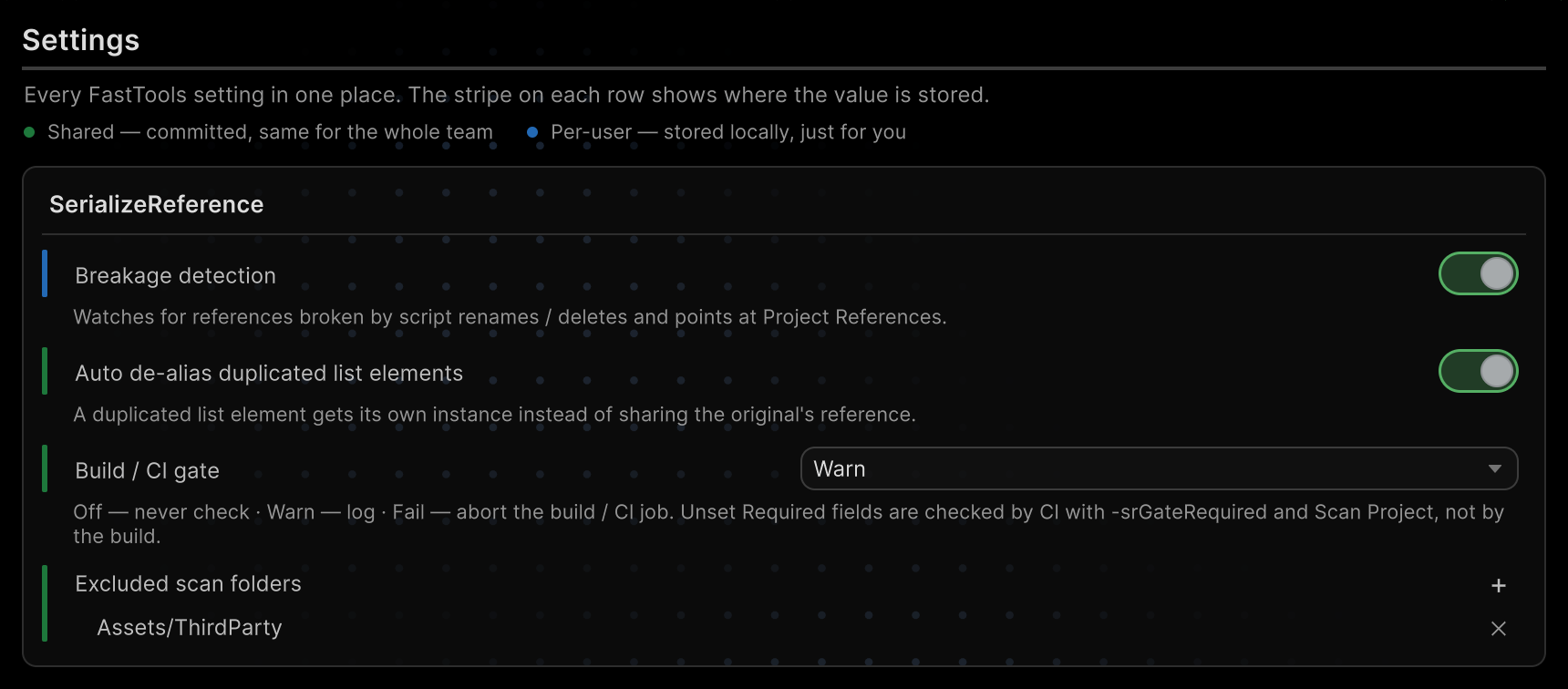
Open Tools → Aspid 🐍 → FastTools → Settings and set Build / CI gate → Fail. Missing types now stop a player build. The default is Warn.
The check reports violations; for repair, see SerializeReference repair.
Pre-build checks
The Build / CI gate setting picks how strict the check is:
| Mode | Player build | Standalone CI run |
|---|---|---|
Off | Skips the check | No scan and no report, an older report stays; exit code 0 |
Warn | Warns and keeps building | Report and violations in the log; exit code 0 |
Fail | Missing types stop the build | Report; exit code 1 on violations |
The build checks every asset under Assets/, not only what goes into it: in Fail mode an unused prefab stops it too — exclude such folders with Excluded scan folders.
What each run checks
| Run | Missing types | Empty fields with Required = true |
|---|---|---|
| Project References → Scan Project | Yes, with pending migrations | Unless the mode is Off, as a Required violations group |
| Asset References | Yes | Yes, in any mode |
| Player build | Unless the mode is Off | No |
CI without -srGateRequired | Unless the mode is Off | No |
CI with -srGateRequired | Unless the mode is Off | Unless the mode is Off |
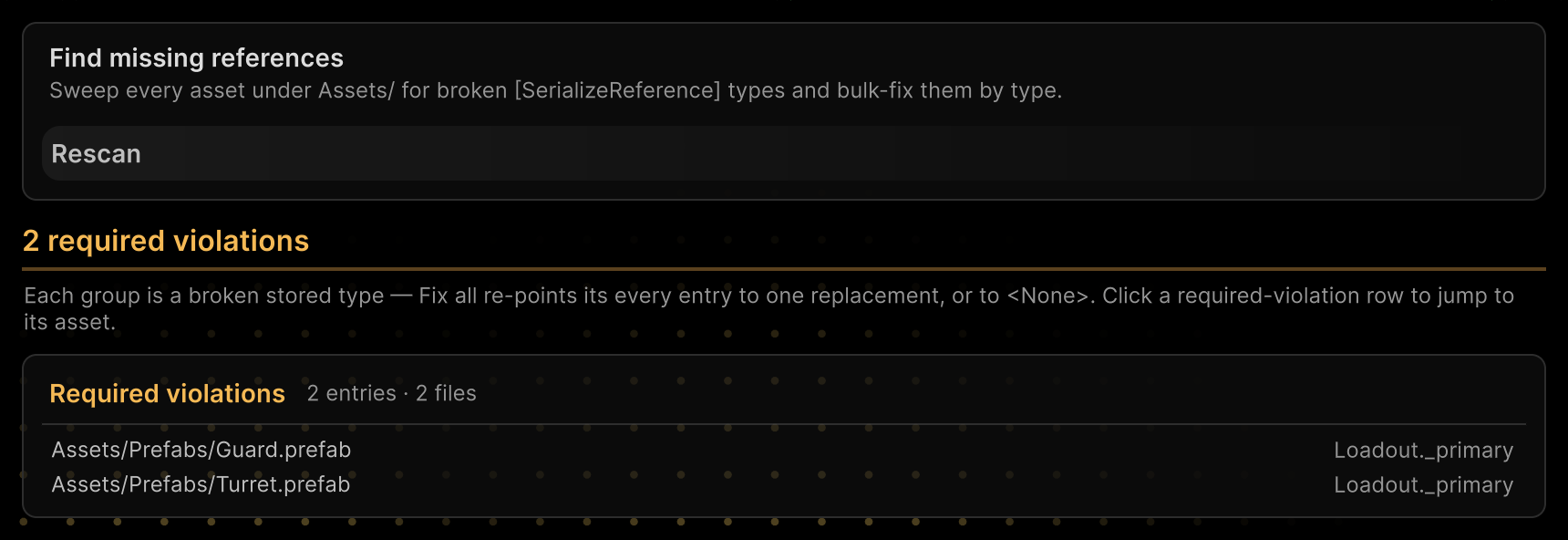
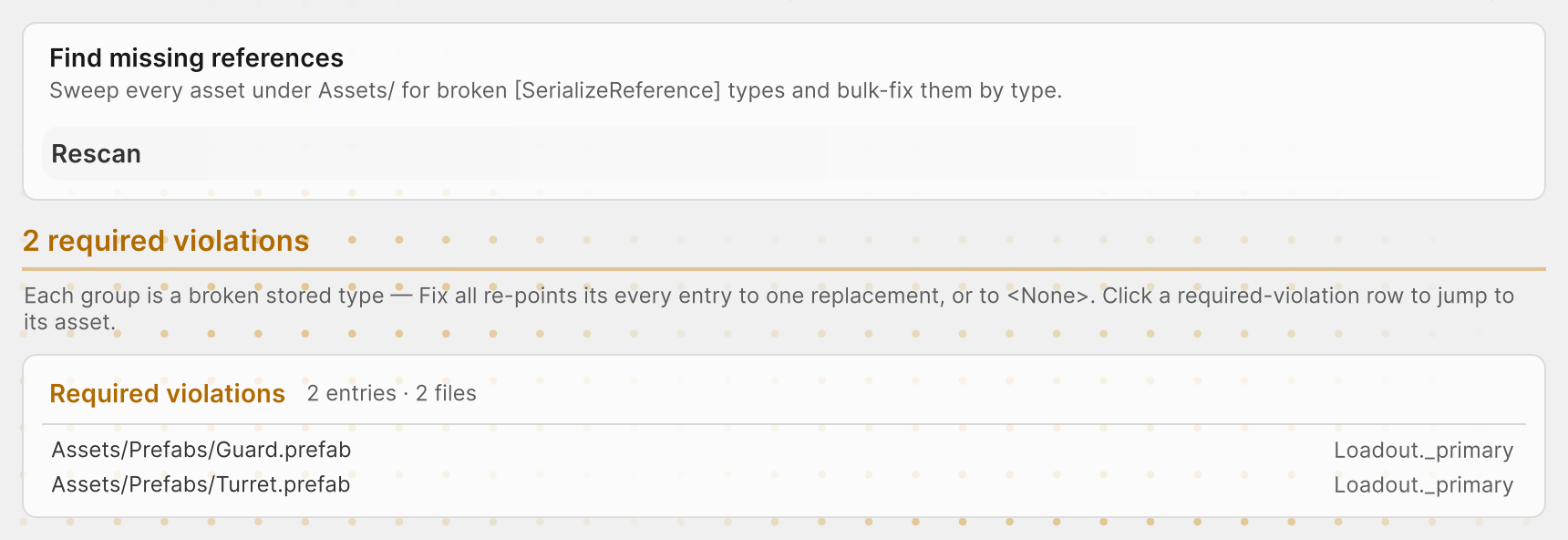
A field is made required with [TypeSelector(Required = true)]; see Required field. In scenes, required fields inside managed references, collections and prefab overrides are not checked.
Detecting new breakages
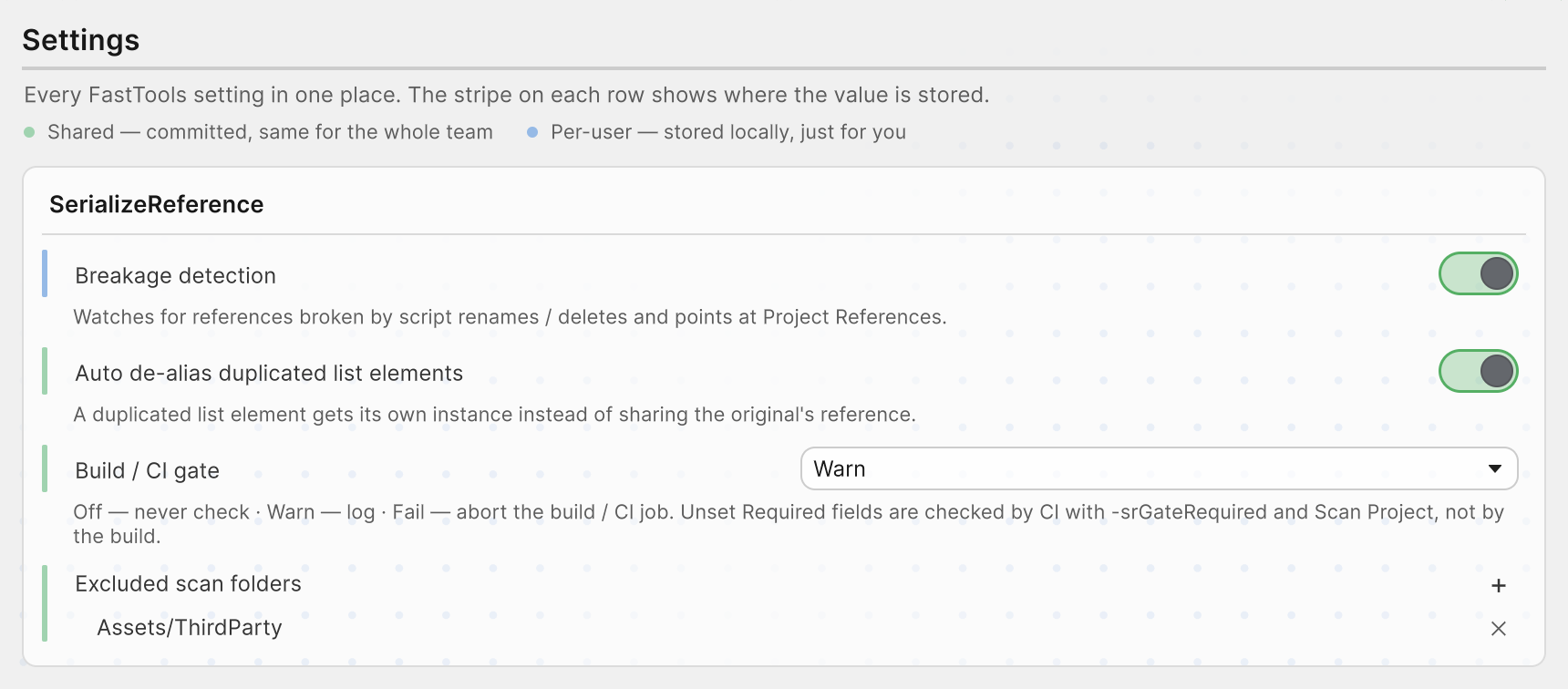
Breakage detection reports newly missing references and type names right after script or asset changes, with a notification as well as in the Console. It is on by default, under Tools → Aspid 🐍 → FastTools → Settings and Preferences → Aspid.FastTools → SerializeReference. It is a per-user setting: every team member has their own.
Scan scope
- saved
.prefab,.assetand.unityfiles underAssets/, apart from Excluded scan folders; [SerializeReference]and the names inSerializableTypeandSerializableMonoScriptfields;[TypeSelector]strings are not checked;- pending MovedFrom migrations do not count as missing;
- binary assets and unfetched Git LFS files are not scanned, and CI lists them in its report; for a full scan, use Asset Serialization → Mode → Force Text and fetch LFS files.
Excluded scan folders excludes folders from Project References, player-build checks, CI and breakage detection.
Build / CI gate, Excluded scan folders and Auto de-alias duplicated list elements are shared settings with a green stripe. They live in ProjectSettings/SerializeReferenceSharedSettings.asset, shared by the team and CI, and also open in Project Settings → Aspid.FastTools → SerializeReference.
Running in CI
Unity -batchmode -projectPath . \
  -executeMethod \
  Aspid.FastTools.SerializeReferences.Editors.SerializeReferenceCiGate.RunCheck \
  -srGateReport SerializeReferenceGateReport.txt \
  -srGateRequired -srGateFail
Exit code 2 means the check itself failed.
Command-line flags
| Flag | Behaviour |
|---|---|
-srGateReport <path> | Report path from the project root, SerializeReferenceGateReport.txt by default; the folder must exist, the file is overwritten |
-srGateRequired | Also checks unset fields with Required = true |
-srGateFail | Uses Fail instead of the project's mode, even Off |
-srGateWarnOnly | Uses Warn instead of the project's mode, even Off; takes precedence over -srGateFail if both are passed |
Report
The report lists missing types, unset required fields and skipped files. Skipped files do not change the exit code.
Report format
The report starts with a header:
# SerializeReference Gate Report
# Violations: 2
# Not scanned (not text YAML): 2
#   Binary	Assets/Legacy/OldLoadout.prefab
#   LfsPointer	Assets/Levels/Arena.unity
Then one line per violation, tab-separated:
KIND assetPath fileId rid className fieldPath origin
| Field | Contents |
|---|---|
KIND | MissingType, MissingTypeName or RequiredUnset |
assetPath | File path |
fileId | Host object ID within the file; for a prefab instance override, the ID of the prefab instance |
rid | Managed-reference ID; in RequiredUnset rows, -2 for an empty [SerializeReference] and 0 for a string or SerializableType; in MissingTypeName rows, the managed reference that holds the field, or 0 |
className | Stored class name for MissingType; the whole stored type name for MissingTypeName |
fieldPath | Required field path; the wrapper field for MissingTypeName; for a MissingType override, the overridden field; otherwise empty |
origin | override for a type set by a prefab instance override; otherwise empty |
In Asset References, find an entry by its rid, and a RequiredUnset row with rid 0 by its fieldPath; an override row is in the Prefab instance overrides card of Project References instead. A MissingTypeName row is in its type name group of Project References.
Package sample
The SerializeReferences sample has a required field and missing types to check.