SerializeReference Selector
Pick an implementation right in the Inspector — from a searchable list, without a custom editor.
Quick start
| Before — Unity API | After — FastTools |
|---|---|
| |
Which classes are offered
The list follows the field type; the attribute can narrow it with extra types.
public interface IMelee : IWeapon { }
public sealed class Sword : IMelee { }

public abstract class StatusEffect { }

public class Modifier<T> : IModifier { }
public sealed class DamageModifier : Modifier<float> { }
| Field type | What is listed |
|---|---|
Interface IWeapon | Classes that implement it: Crossbow, Pistol, Railgun, Shotgun, Sword |
IWeapon and typeof(IMelee) in the attribute | Classes that fit both: Sword |
Abstract class StatusEffect | Its subclasses: BurnEffect, FreezeEffect |
Modifier<float> | The subclass DamageModifier and Modifier<Single> itself |
List<IModifier> | AmmoModifier, DamageModifier, NameModifier and Modifier<T> with a choice of T |
- In the Inspector of a runtime object, classes from editor-only assemblies (
UnityEditor, Editor-only asmdefs,Editorfolders) are left out: a player build cannot create them. - Generic arguments are inferred from the field type; when they cannot be, the window asks for each one and offers only types Unity can serialize.
- A constraint can also come from another field.
[TypeSelectorDisplay]sets a class's row in the list or hides the class.
Required field
[TypeSelector(Required = true)]
[SerializeReference] private IWeapon _primary;
With Required = true, an empty field shows Required reference is not set; see Required field.
Lists
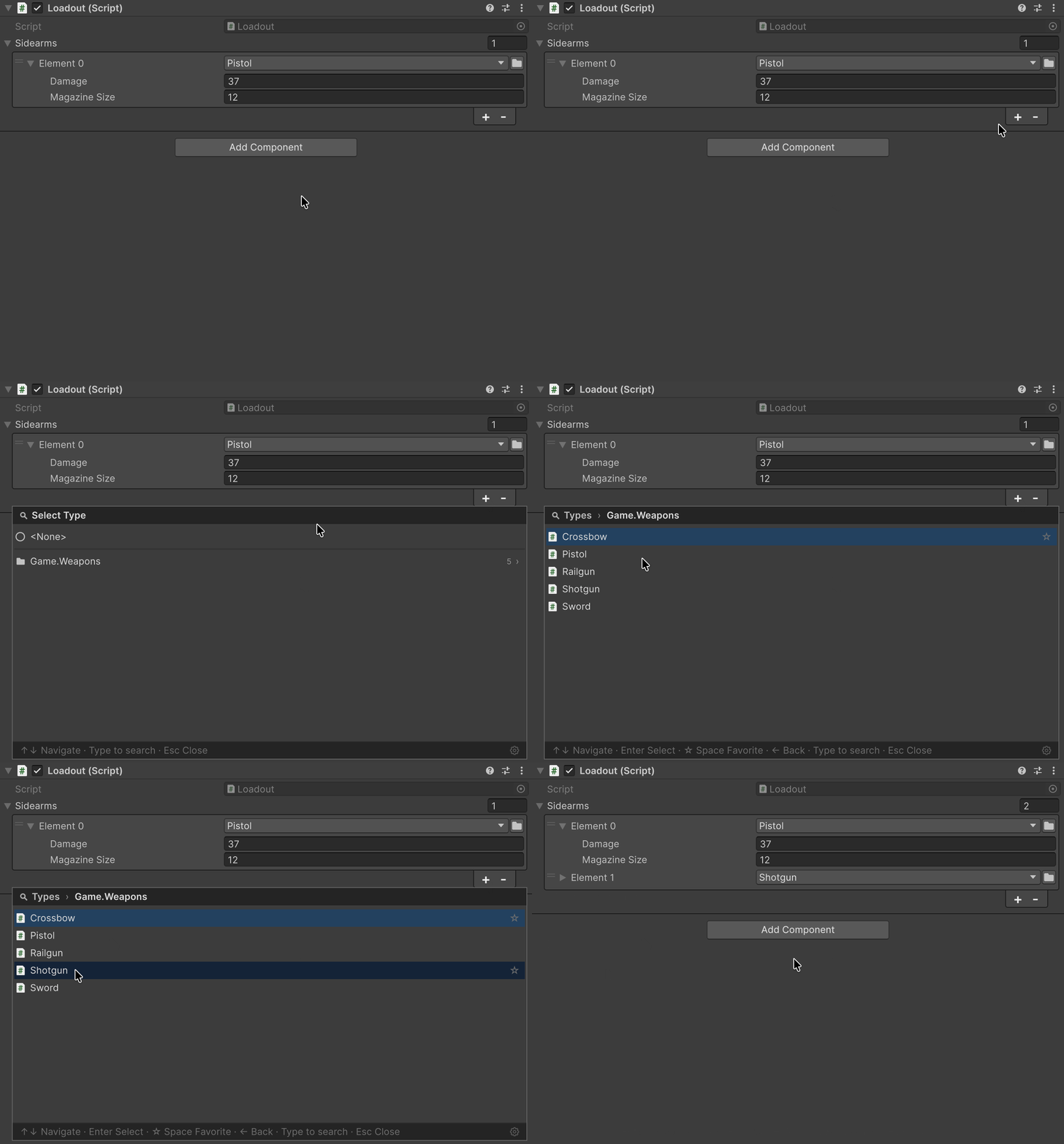
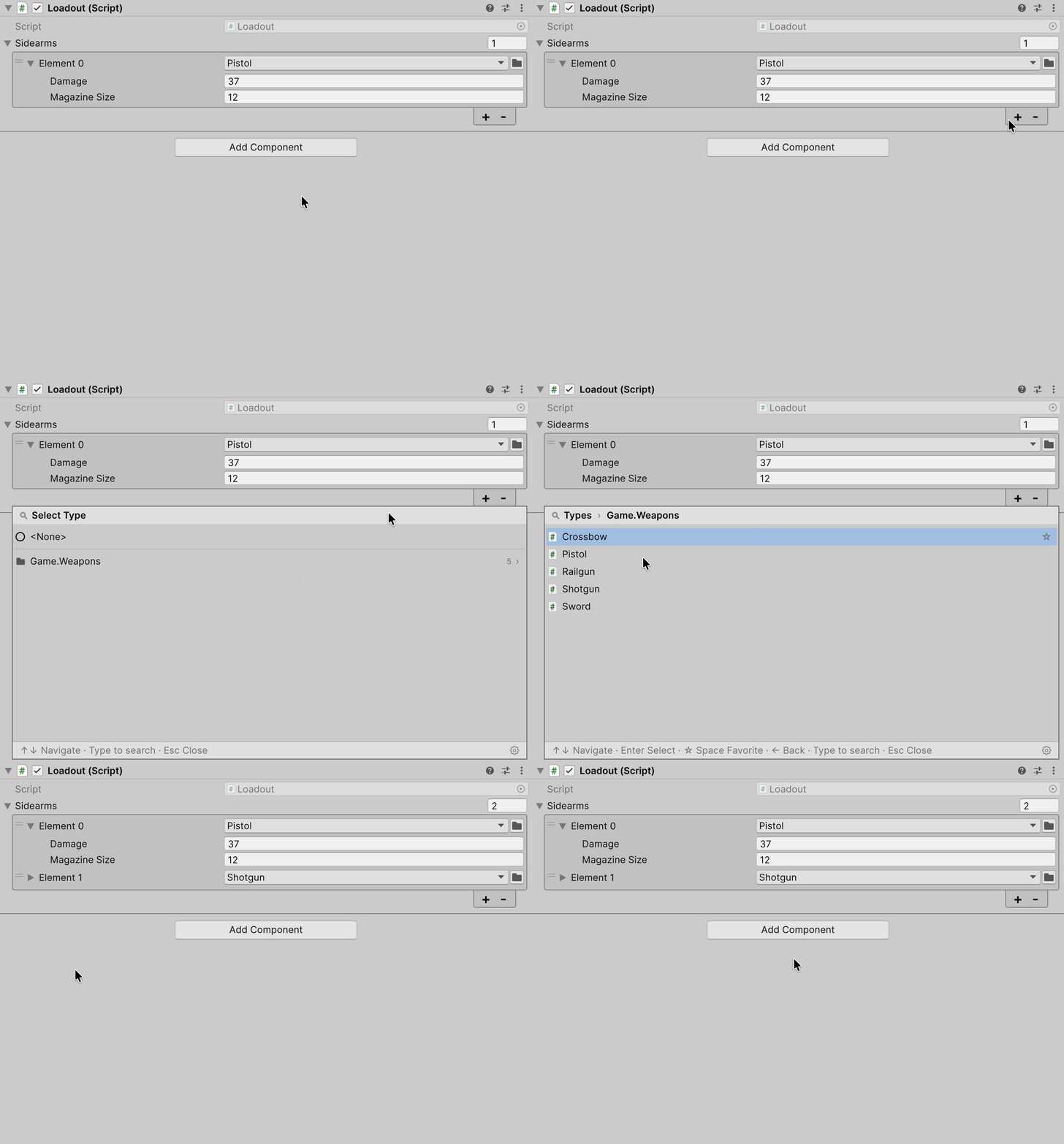
In a list with [TypeSelector], “+” opens the class picker and adds a new instance, and <None> adds an empty element. With several objects selected, each gets its own instance, all in one Undo group.
Switching the class
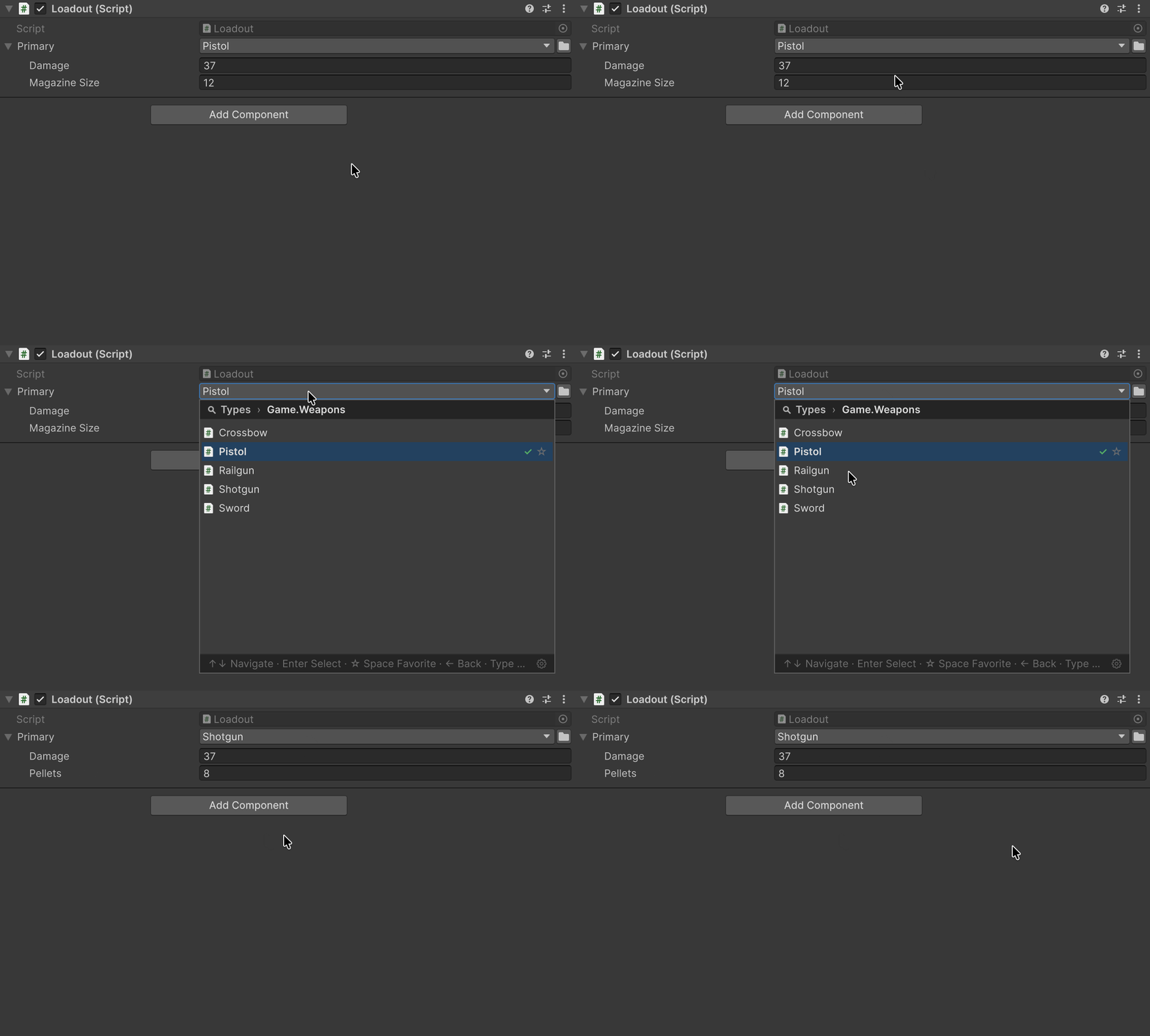
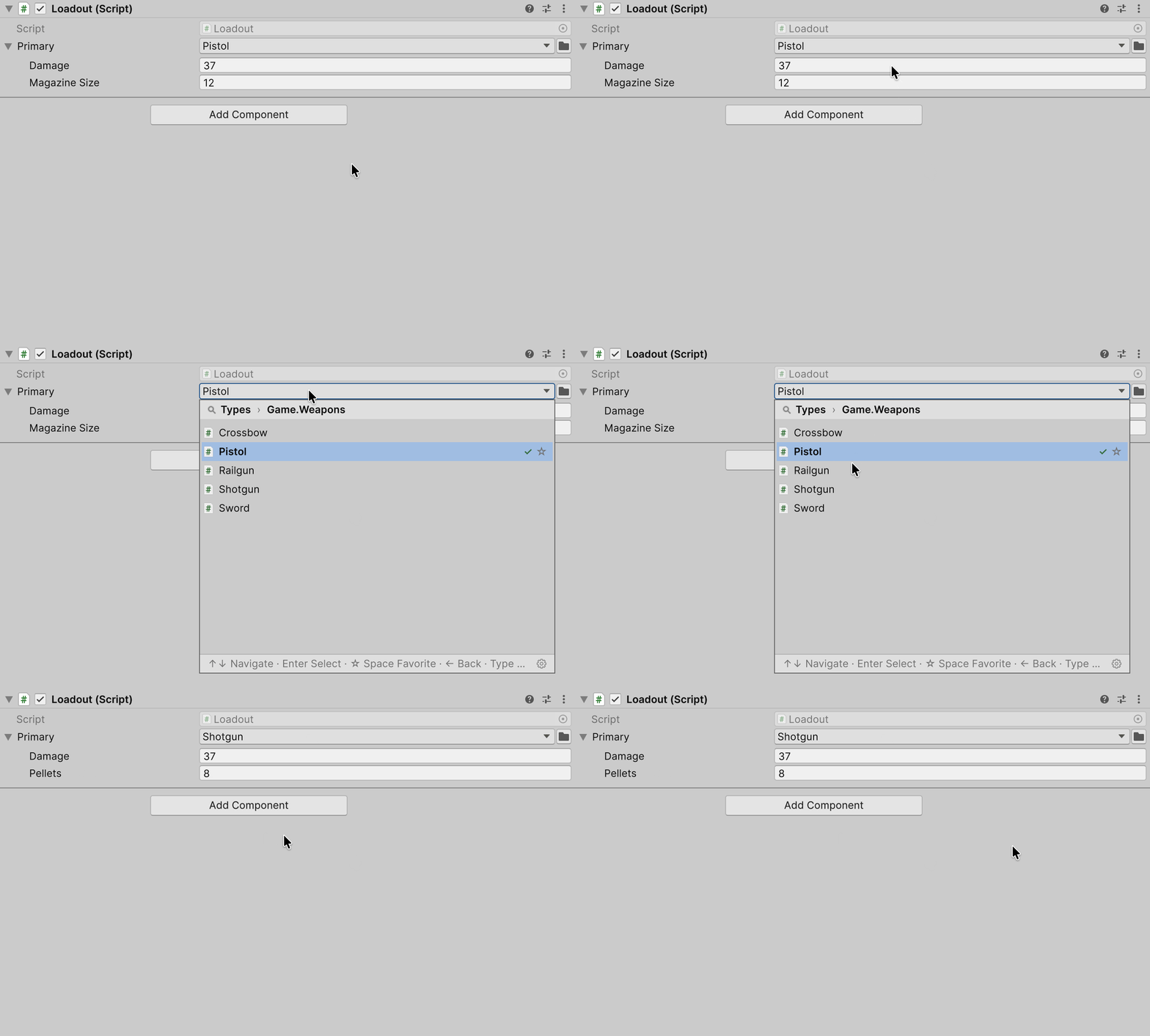
The new instance receives the values of fields with the same names:
| Field | Pistol | → Shotgun |
|---|---|---|
| Damage | 37 | 37 |
| Magazine Size | 12 | — |
| Pellets | — | 8, the initial value |
A nested reference with the same name moves to the new class as the same instance, not a copy.
A .cs script dragged from Project onto the field header switches the field to its class the same way.
Header menu
Right-click the field header:
| Item | What it does |
|---|---|
| Copy Serialize Reference | Copies the field's class and data; the copy lasts until the next domain reload |
| Paste Serialize Reference | Pastes the copy into a field of a compatible type; a copied empty field clears it |
| Make Unique Reference | Gives the field its own copy of a shared reference; not shown on an unshared one |
| Find Usages of Pistol | Searches the project for the class through Unity Search |
| Link to Existing → … | Points the field at the instance of another field on the same object |
| Create New Script… | Creates a [Serializable] class for the field type and assigns it after compilation |
| Save as Template… | Saves the value under a name; templates live in the editor settings on this machine, not in the project |
| Paste Template → … | Creates an instance from a template; only templates that fit the field are listed |
| Paste Template → Remove Missing (N)… | Deletes templates whose class does not load; shown only when there are any |
Copy/Paste and templates do not carry nested [SerializeReference] fields: a copied Railgun pastes without its _chargeEffect.
Shared references
Two fields of an object can point at one instance: an edit through one shows in the other. Such fields are marked Shared reference #N, and Make unique gives the field its own copy, nested references included.
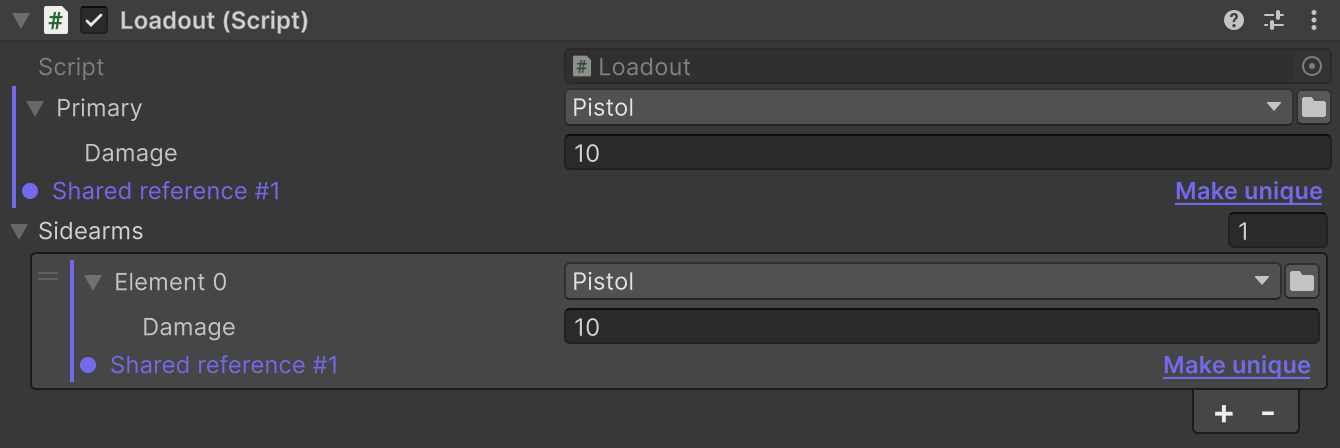
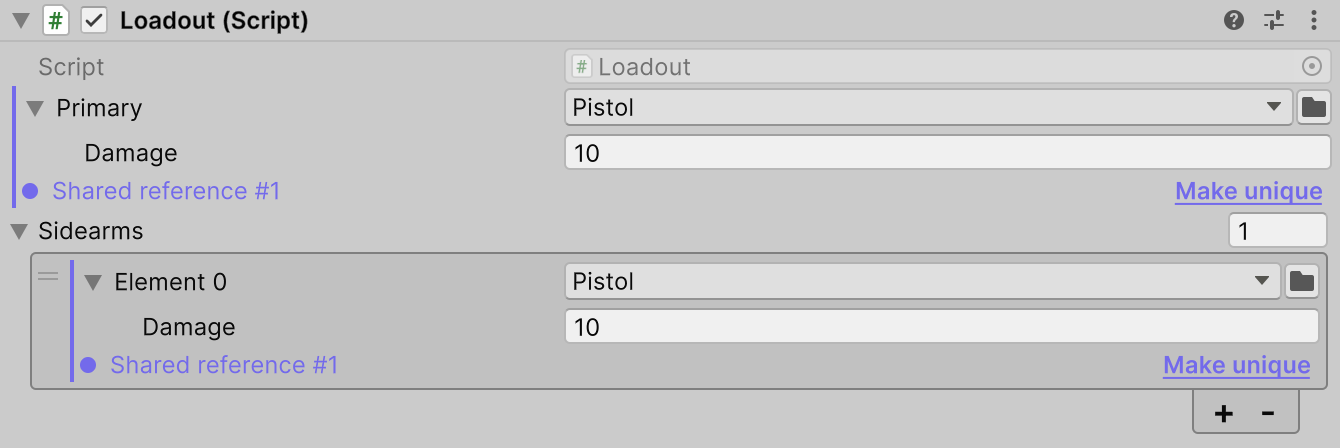
A duplicated list element gets its own instance instead of a reference to the same one. The Auto de-alias duplicated list elements setting in the shared settings controls this and is on by default.
Repairing missing types
After a class is renamed, moved or deleted, the field shows Missing type, while the data stays in the asset.


| Action | What it does |
|---|---|
| Fix | Opens the class picker, including classes hidden with Hidden |
| → Pistol | Assigns the suggested class; the tooltip gives the reason: the same name, the same name in another case, or a similar name |
On an asset, Fix rewrites the file, and Undo does not revert it.
In a scene or Prefab Mode the repair stays in memory: Undo reverts it, and saving makes it final and clears the object's Undo history. Such a repair brings back only flat top-level fields: nested objects, arrays, lists, vectors, colours and object references get their default values.
When there is no Fix
| Case | What to do |
|---|---|
| Several objects selected | Select one: until then Missing type is not shown |
| Unsaved changes in the scene or Prefab Mode | Save: until then the field shows <None> without Missing type |
| Prefab instance, class stored in the source prefab | Repair the source prefab; the tooltip names it |
| Prefab instance, class set through an override | Choose a new class on the instance or revert the override |
SerializeReference Tooling repairs everything else.
Custom inspector
In your own editor, a regular PropertyField draws a [TypeSelector] field: the class picker and the list's “+” come by themselves, with no package call.
| UI Toolkit — CreateInspectorGUI | IMGUI — OnInspectorGUI |
|---|---|
| |
If a [SerializeReference] field has no [TypeSelector] attribute, or a list element is drawn on its own through GetArrayElementAtIndex, PropertyField shows no class picker. Your own editor can draw it by calling one of these methods:
| Method | Draws |
|---|---|
SerializeReferenceEditorGUI.CreateField() | A field in CreateInspectorGUI |
SerializeReferenceEditorGUI.CreateList() | A list in CreateInspectorGUI |
SerializeReferenceEditorGUI.DrawFieldLayout() | A field in OnInspectorGUI |
SerializeReferenceIMGUIList.Draw() | A list in OnInspectorGUI |
Constraints on top of the field type go in the baseTypes argument, like the types in [TypeSelector(...)].
Limitations
- Allow. Has no effect on
[SerializeReference]— analyzerAFT0002reports it. - Incompatible constraints. When no class fits both the field type and all the attribute's types, the class list is empty — for example,
[TypeSelector(typeof(Sword))]onStatusEffect _onHit;. AnalyzersAFT0003,AFT0005andAFT0009report it at compile time.
Package sample
The Loadout fields from this page and assets with missing types to try Fix on are in the SerializeReferences sample.