ComponentTypeSelector
Change a component's class right in the Inspector while shared fields keep their values.
Quick start
public abstract class EnemyBase : MonoBehaviour
{
    [SerializeField] private ComponentTypeSelector _enemyType;
    [SerializeField] private float _health = 100f;
}
| FastEnemy.cs | ArmoredEnemy.cs |
|---|---|
| |
The list offers the concrete subclasses of the class that declares the field, with no <None> entry.
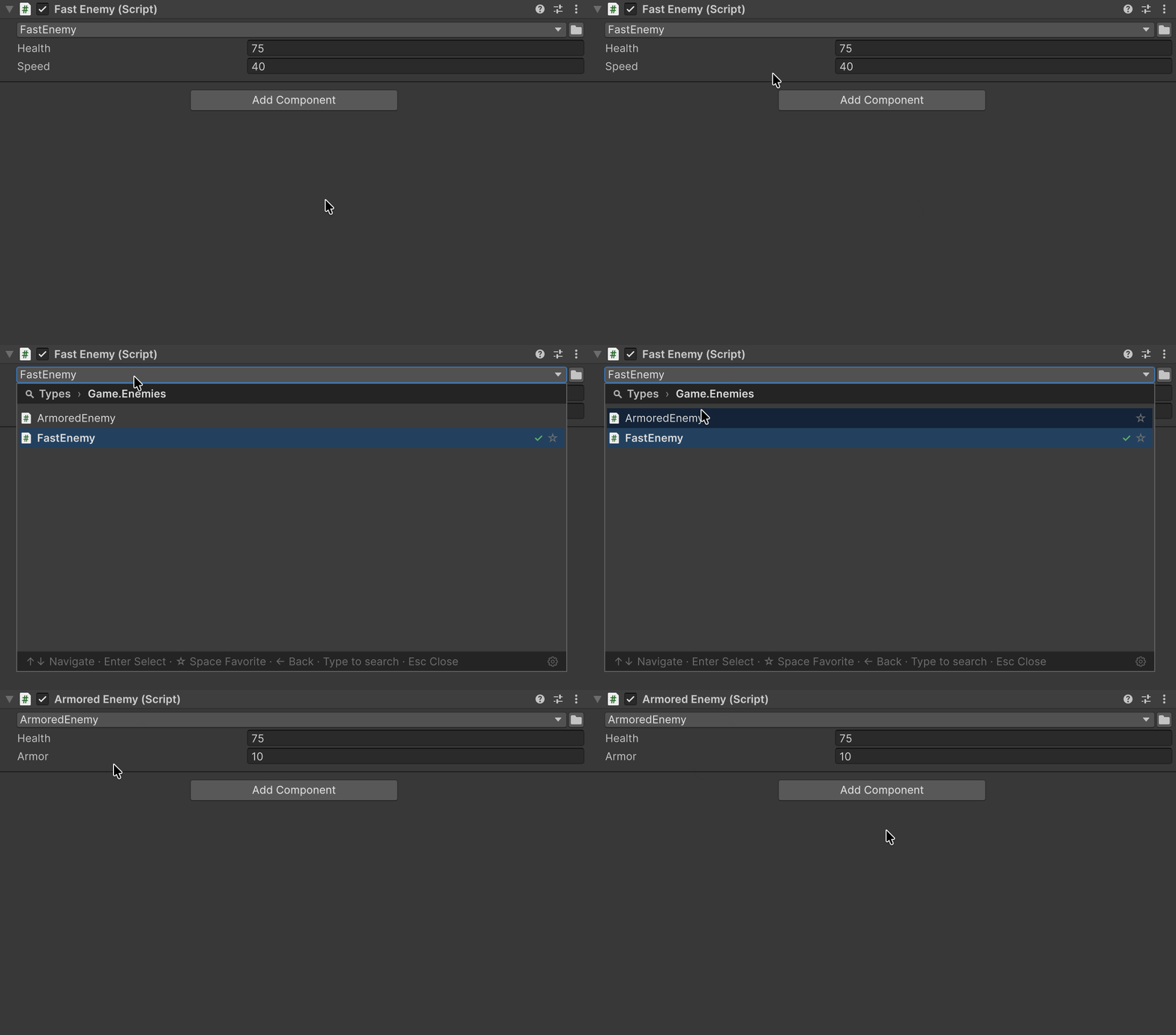
| Field | FastEnemy | ArmoredEnemy picked | Back to FastEnemy |
|---|---|---|---|
| Health | 75 | 75 | 75 |
| Speed | 40 | — | 25 |
| Armor | — | 10 | — |
When the type does not change
The switch follows the rules of Add Component: it first adds the components the new class lists in [RequireComponent], and one Undo reverts it together with them. The class stays as it was and the Console shows a warning when:
- the class has no script file of its own with the same name, such as a nested class or a second class in a file;
- the new class is marked
[DisallowMultipleComponent]and the GameObject already has one; - the switch would remove a class another component requires;
- the new class requires a component that cannot be added, such as the abstract
Collider.
Package sample
The Types sample shows component type switching.