EditorTools Sample
An editor window and an Inspector built in code with the package's helpers.
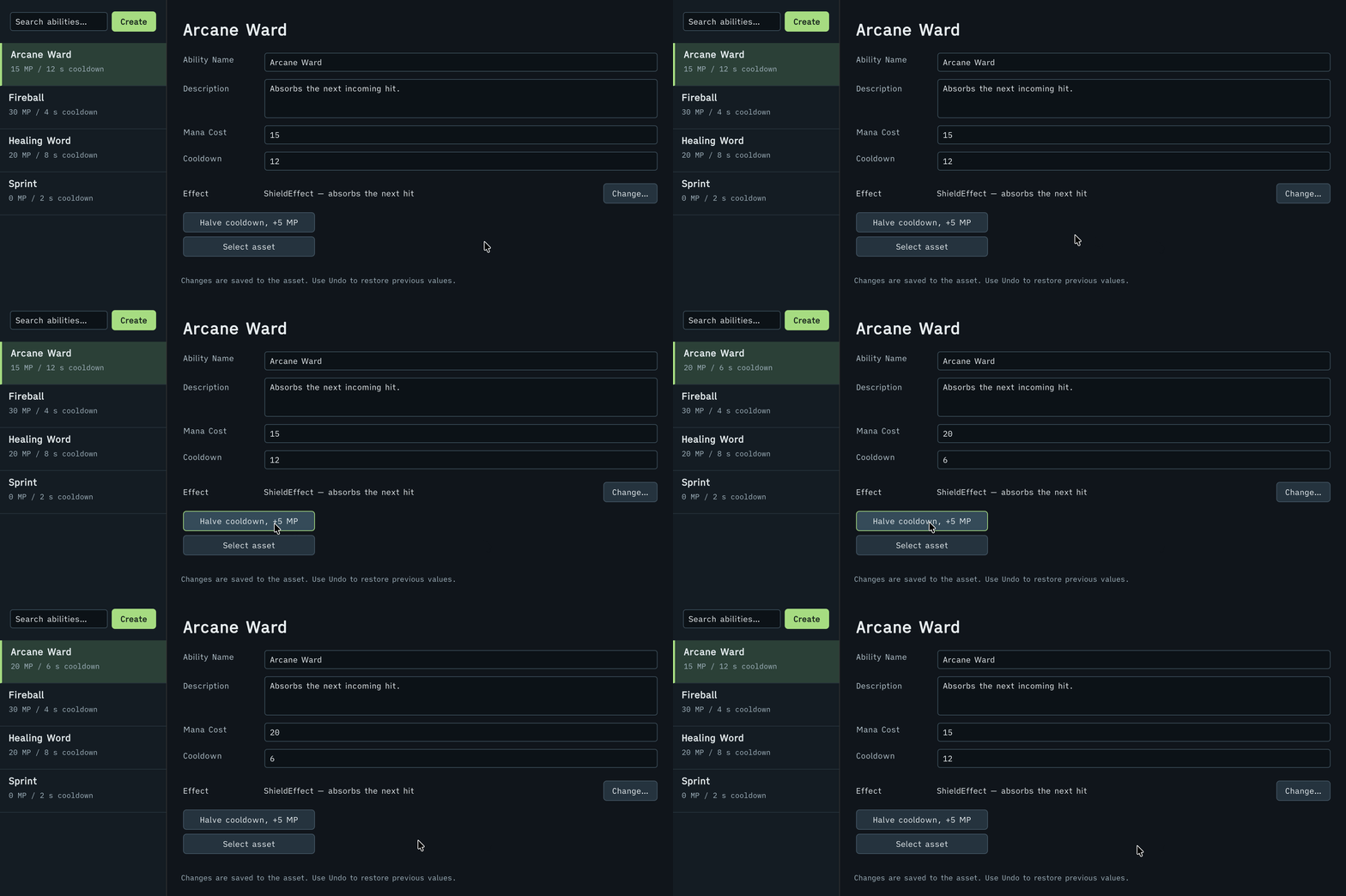
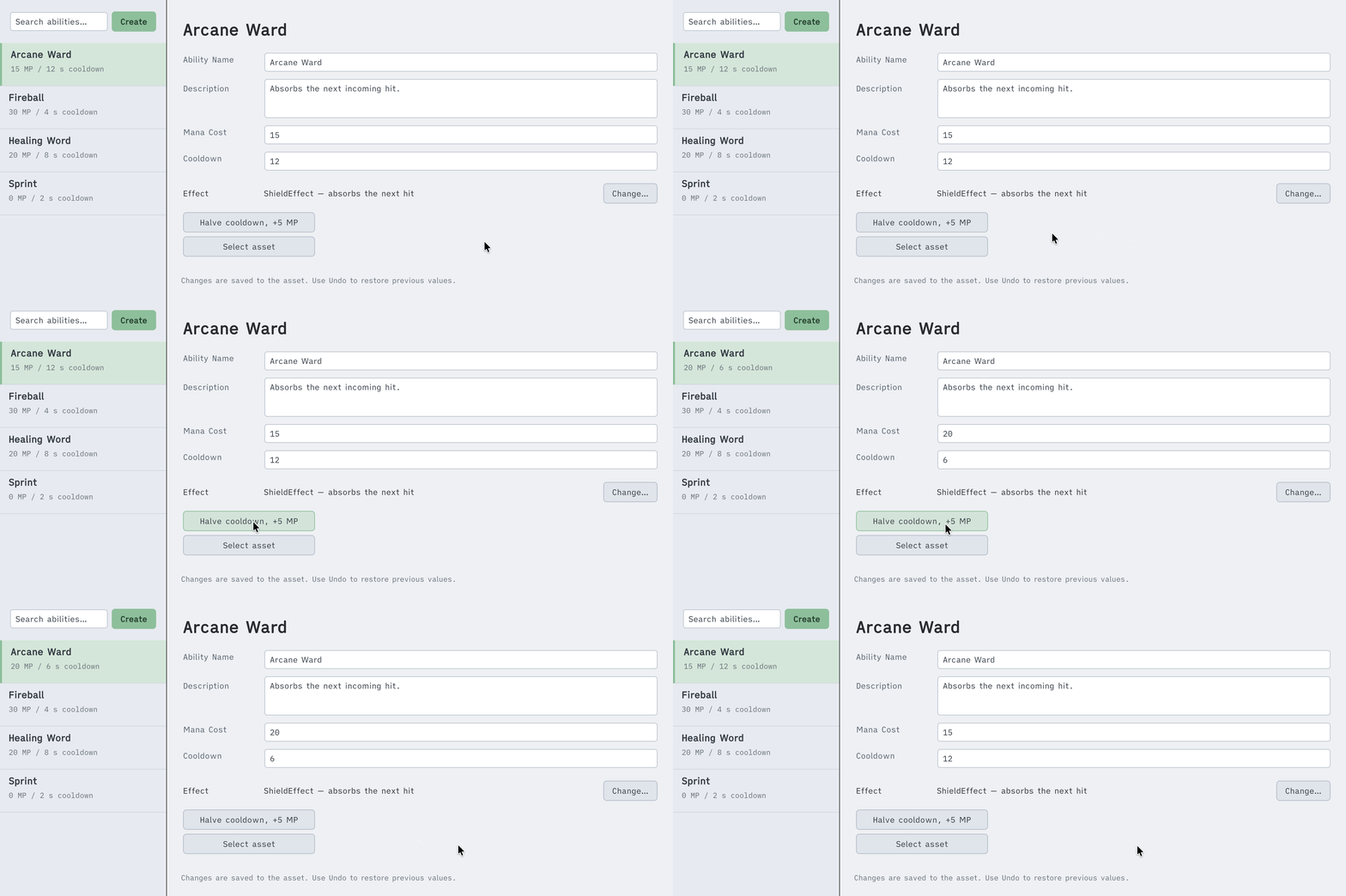
The Halve cooldown, +5 MP button changes the cost and the cooldown, and Undo restores them.
Open it
- Import the sample: Tools → Aspid 🐍 → FastTools → Welcome → Samples → Import on EditorTools. It has no scene.
- Open Tools → Aspid 🐍 → FastTools → Samples → Ability Catalog: the left pane lists the project's abilities, the four assets from
Data/among them, and the right pane shows the selected one.
Try
-
A ListView in one chain. The list on the left is one chain of
ListViewextensions,SetMakeItem,SetBindItemandAddSelectionChangedincluded. Type in the search field:AddValueChangedfilters the source, andRefreshItemsredraws the list. -
Binding. The name, description, cost and cooldown fields sit in one container bound with
.BindTo(serializedObject). Edit the name: the list and the title follow, and Undo restores it. -
Typed property setters. Press Halve cooldown, +5 MP. The handler writes two properties and applies them once, so a single Undo reverts both:
serializedObject.Update();var cooldown = serializedObject.FindProperty("_cooldown");var manaCost = serializedObject.FindProperty("_manaCost");cooldown.SetFloat(cooldown.floatValue * 0.5f);manaCost.SetIntAndApply(manaCost.intValue + 5); -
The type picker from code. Press Change… next to Effect:
TypeSelectorWindow.Show()opens the picker of[TypeSelector]at the button, limited toIAbilityEffectimplementations, and writes the pick into a string property. PickHealEffectand change Mana Cost: the effect description follows the value, through Undo and Redo too. -
Open the script. Double-click the ability title in the right pane:
AddOpenScriptCommandopensAbilityConfig.csin your IDE. -
The inspector. Select
Data/Sprint.assetin the Project window.AbilityConfigEditordraws a card titled withGetDisplayName(), “Ability Config”, a cost badge and a warning shown while Mana Cost is0;PropertyField.AddValueChanged()drives both. Set the cost to10and back. -
Create. Press Create: a new asset appears next to the selected one, already selected in the list.
Where to look
| File | Shows |
|---|---|
Scripts/Editor/AbilityCatalogWindow.cs | ListView extensions, BindTo, SetFloat and SetIntAndApply, TypeSelectorWindow.Show() with a TypeSelectorFilter, AddOpenScriptCommand |
Scripts/Editor/AbilityConfigEditor.cs | A custom inspector on the style and layout setters, GetDisplayName |
Scripts/AbilityConfig.cs | The data; [TypeSelector] on the effect string gives the asset's Inspector the same picker |
Scripts/Effects/ | The effect classes the picker offers |
Reference: VisualElement Extensions, SerializedProperty Extensions, Editor Helpers and TypeSelectorWindow.